Miracle OS
A downloadable MiracleOS
Miracle OS is a small experimental retro-style operating system project inspired by classic Windows 95/98 desktop environments.
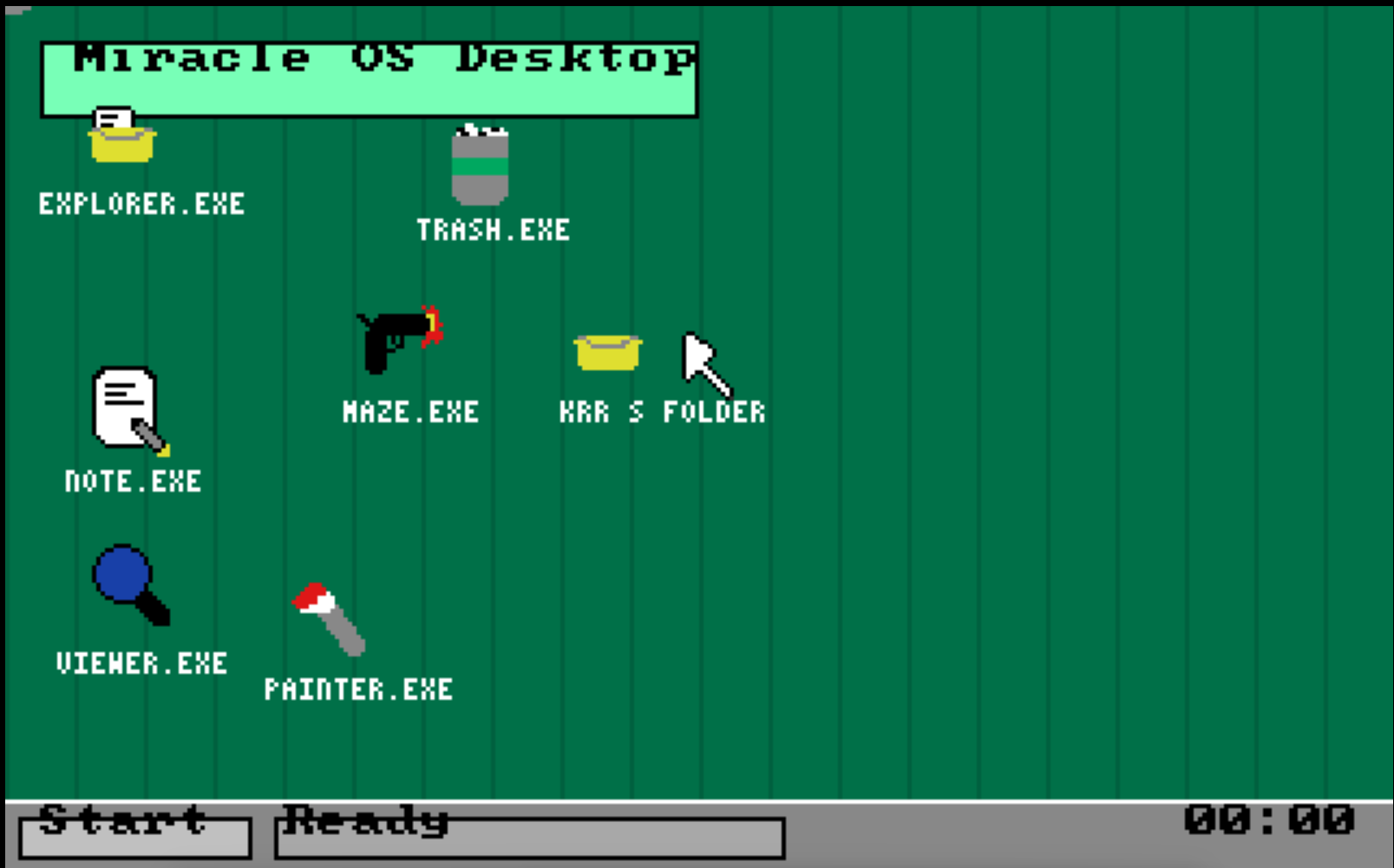
It boots inside VirtualBox and features a custom graphical desktop, draggable icons, a taskbar, a Start menu, basic apps, folders, and a simple save system using a virtual disk.
This is not a Linux theme or a fake website OS simulator. It is a bootable OS-style project made to feel like a tiny retro computer environment.
Features:
- Bootable ISO for VirtualBox
- Retro green/gray desktop interface
- Username and PIN setup
- Login screen
- Draggable desktop icons
- Start menu
- Folder creation
- Basic file saving
- Persistent save data using MIRACLE_DATA.VDI
- Explorer.exe
- Note.exe
- Viewer.exe
- Painter.exe
- Trash.exe
- Maze Shooter.exe
- Settings panel
- TXT and BMP file support
- Simple desktop file/folder system
Apps included:
Explorer.exe
Browse files and folders inside Miracle OS.
Note.exe
Write text files and save them.
Viewer.exe
View TXT files and basic BMP entries.
Painter.exe
Draw using a simple color palette and save BMP files.
Trash.exe
Drag items to the trash.
Maze Shooter.exe
A simple raycasting-style maze shooter game.
Settings
Adjust mouse sensitivity, volume, resolution preset, and time.
How to run:
1. Open VirtualBox.
2. Create a new virtual machine.
3. Attach MIRACLE_DESKTOP_V29_SETUP_PERSIST.iso as the optical disk.
4. Attach MIRACLE_DATA.VDI as a hard disk.
5. Boot the VM.
6. Set your username and PIN on first startup.
Important:
MIRACLE_DATA.VDI is required if you want saves, folders, desktop icon positions, TXT files, BMP files, and setup data to persist after rebooting.
This project is still very early and experimental. Some features may be simple, unfinished, or buggy, but the goal is to build a small retro desktop OS step by step.
Download
Leave a comment
Log in with itch.io to leave a comment.